
MoreLogin
Step 1:
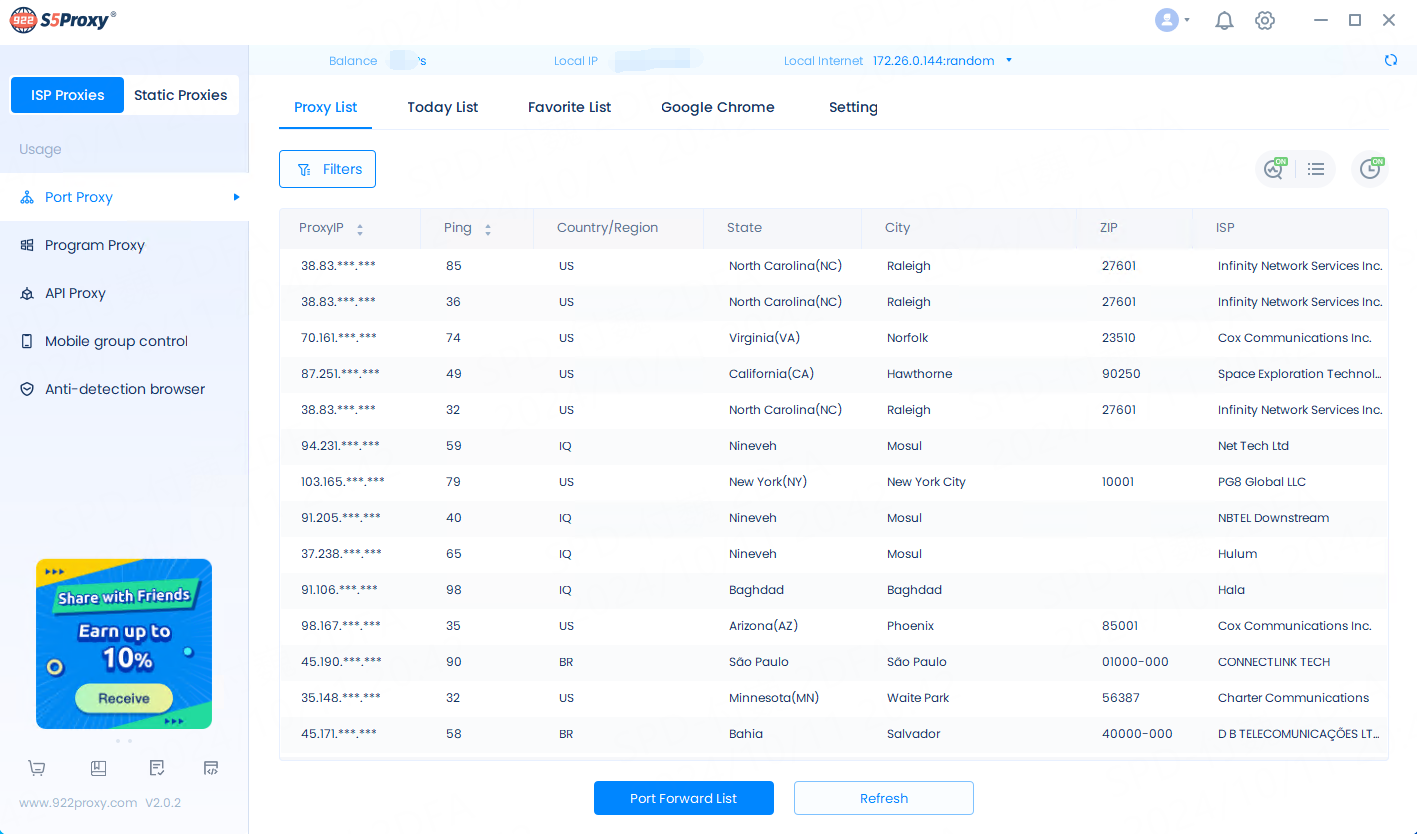
First, register an account on 922S5 official website, then download the 922S5 application and log in.
Step 2:
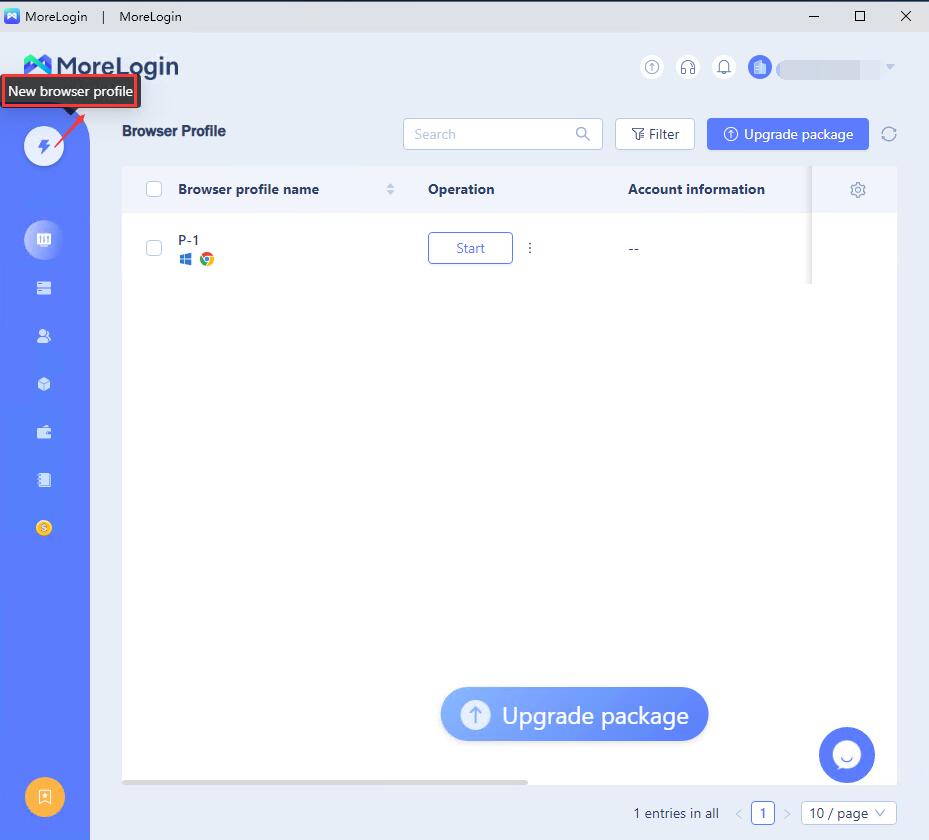
Open MoreLogin and login. Click New Configuration File.
Step 3:
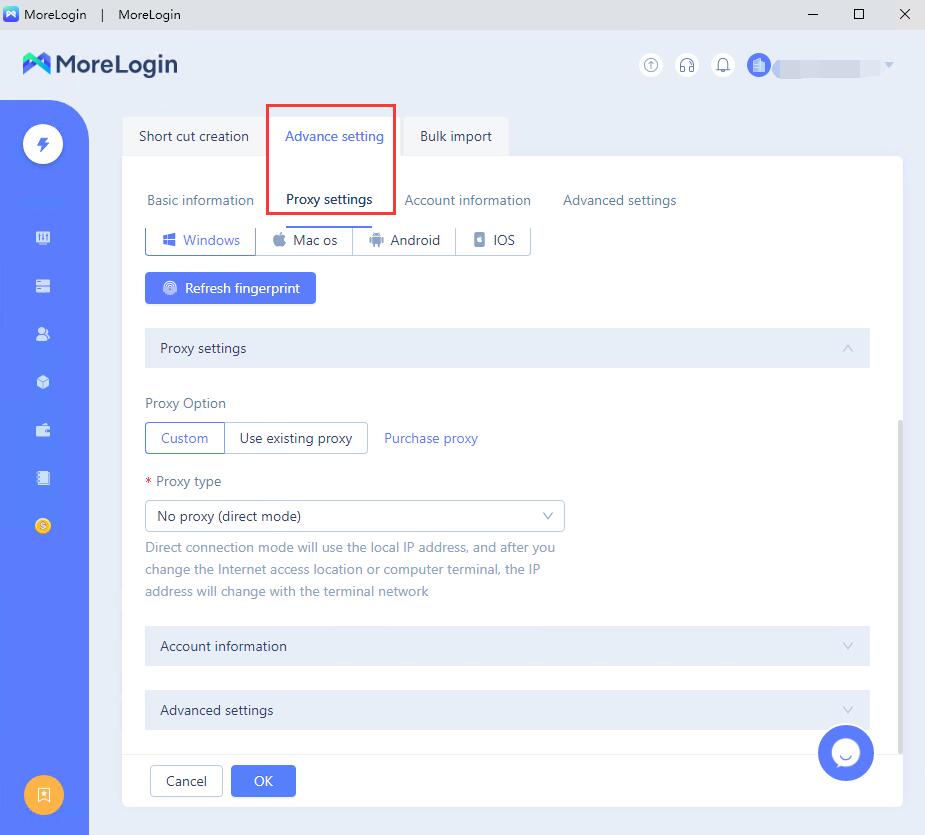
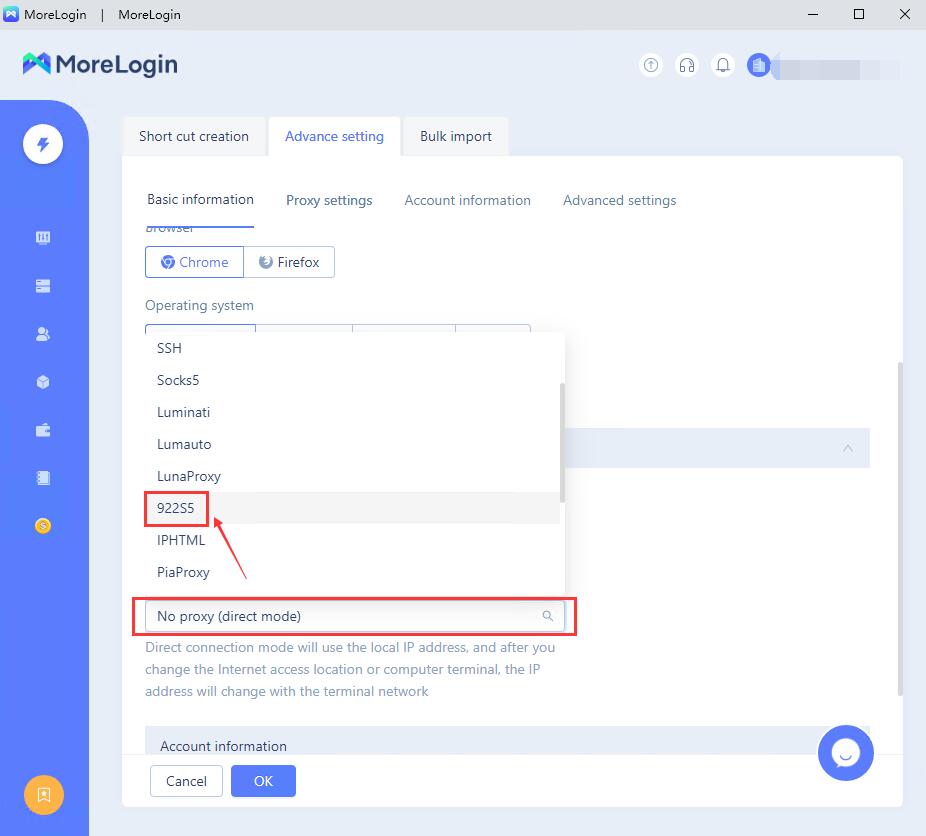
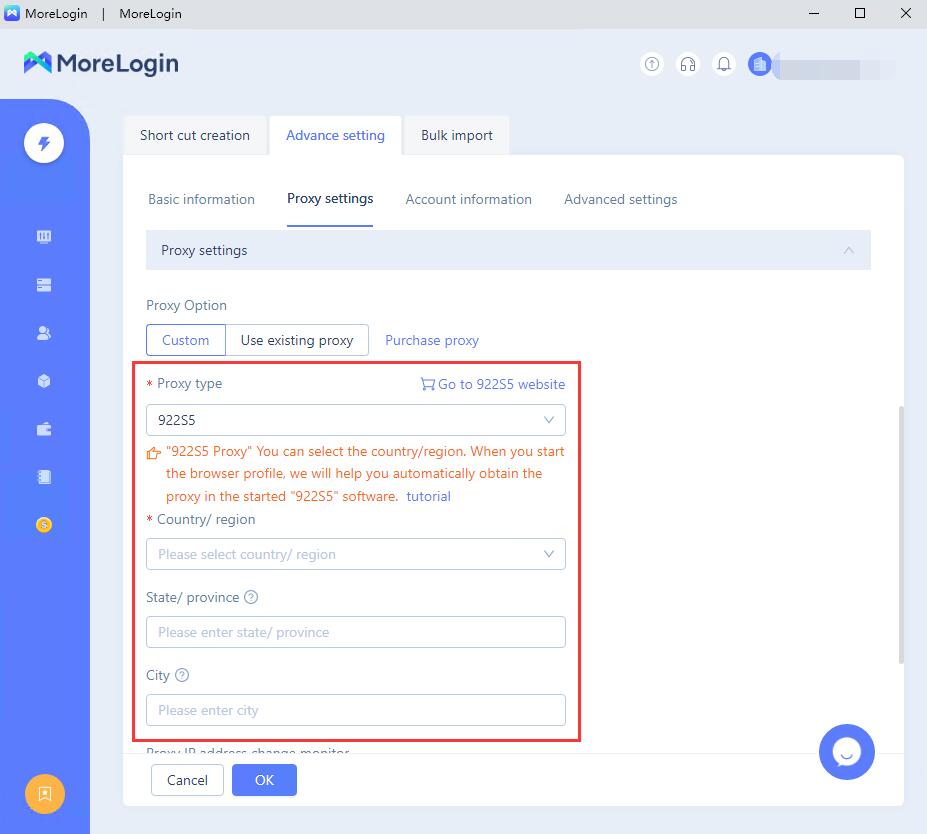
Click Proxy setting and select 922S5.
Step4:
Select country/state/city here. After setting, click "OK" to save and use. When you start the browser profile, we will automatically help you get the proxy in the startup "922S5" software.
Last updated